 FTP Files
SSH Keys for SFTP
An SSH key signs you in to SFTP servers without a password. FTP Files keeps the private key in the Keychain, synced by iCloud Keychain, and you put the public key on each server. Keys are under SSH Keys in Settings ( on iPhone and iPad), and Manage Keys… in a server's SSH Key menu opens them too.
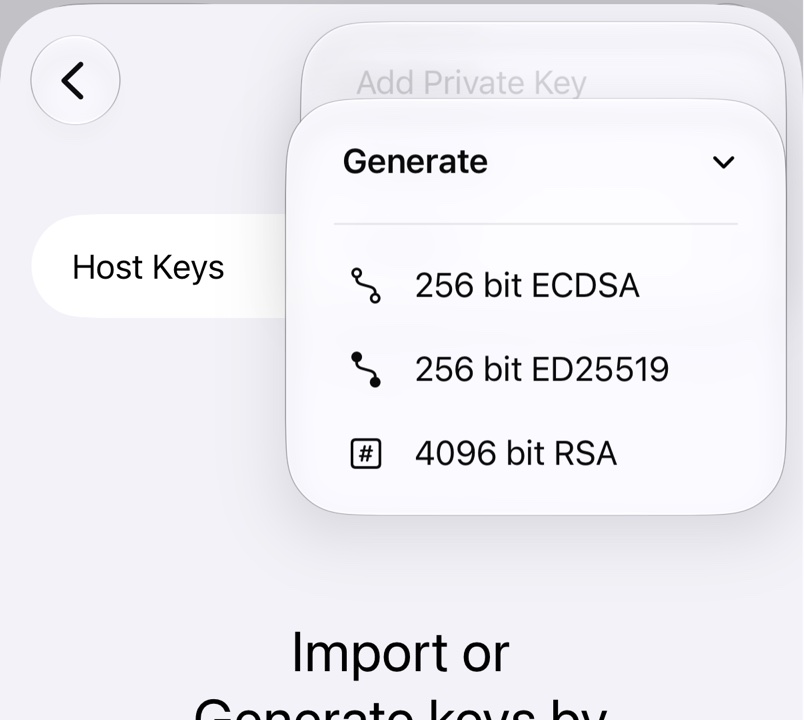
1. Generate or import a key
Tap +, choose Generate and then a type: 256 bit ED25519 suits any recent server, 256 bit ECDSA and 4096 bit RSA older ones.
Or choose Import to read an OpenSSH or PEM private key from the clipboard or a file. PuTTY .ppk files and hardware security keys can't be imported, but PuTTYgen's Conversions → Export OpenSSH key turns a .ppk into one that can.
2. Add the public key to the server
Long-press the key (right-click on a Mac), choose Copy Public Key and add it as one line to ~/.ssh/authorized_keys on the server, from a terminal or its admin panel:
mkdir -p ~/.ssh && chmod 700 ~/.ssh
echo 'ssh-ed25519 AAAA... my-iphone' >> ~/.ssh/authorized_keys
chmod 600 ~/.ssh/authorized_keys
On Windows the file is C:\Users\name\.ssh\authorized_keys, but administrator accounts only use C:\ProgramData\ssh\administrators_authorized_keys, readable by Administrators and SYSTEM alone; see Microsoft's key guide.
3. Use it
Edit the server and pick the key in the SSH Key menu, where it takes the place of the password; the login prompt has the same menu. Deleting a key also removes it from the servers that use it.
Troubleshooting
- This was a public key. You need to import a private key. Import the file without
.pub. - Unsupported SSH key type: for an ECDSA key in OpenSSH format, run
ssh-keygen -p -m PEM -fon a copy and import that. - Incorrect username or password with a key: check that the key is in
authorized_keysfor that user and neither~/.sshnor the file is writable by others.