 FTP Files
File Permissions and Symlinks
Files on SFTP and most FTP servers carry Unix permissions: whether the owner, the group and everyone else may read, write and execute them.
In the Files app on iPhone and iPad, long-press a file and choose Manage. In FTP Files, show an open file's properties with , in the toolbar on iPhone.
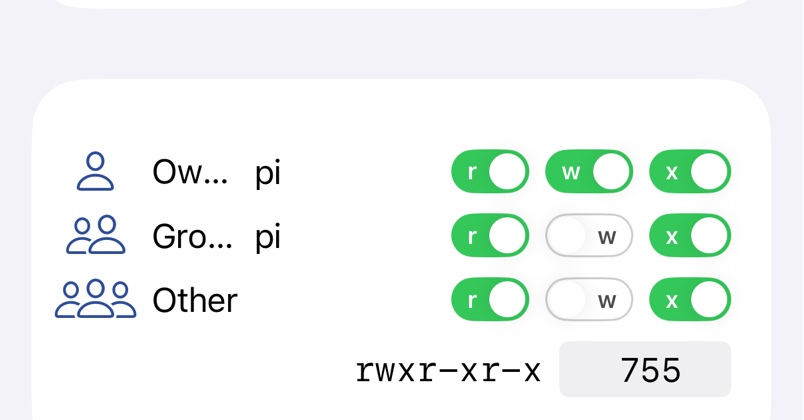
Changing permissions
Flip the r, w and x switches for Owner, Group and Other, or type an octal value such as 644. The change is sent a moment after you stop. For a folder, x is permission to open it. Typical values are 644 for web files, 600 for private files, 755 for folders and scripts and 700 for private folders.
Owner and group can't be changed. The switches are dimmed in Read-Only Mode or when the server doesn't report permissions. Over FTP the server must support SITE CHMOD, or you'll see SITE CHMOD is not supported by this FTP server.
Symbolic links
FTP Files shows a link as name -> target and opens what it points to. In Finder, a link pointing inside the server's Directory stays a link; other links, and all links in the Files app, appear as the file or folder they point to.