 FTP Files
Files App and Finder
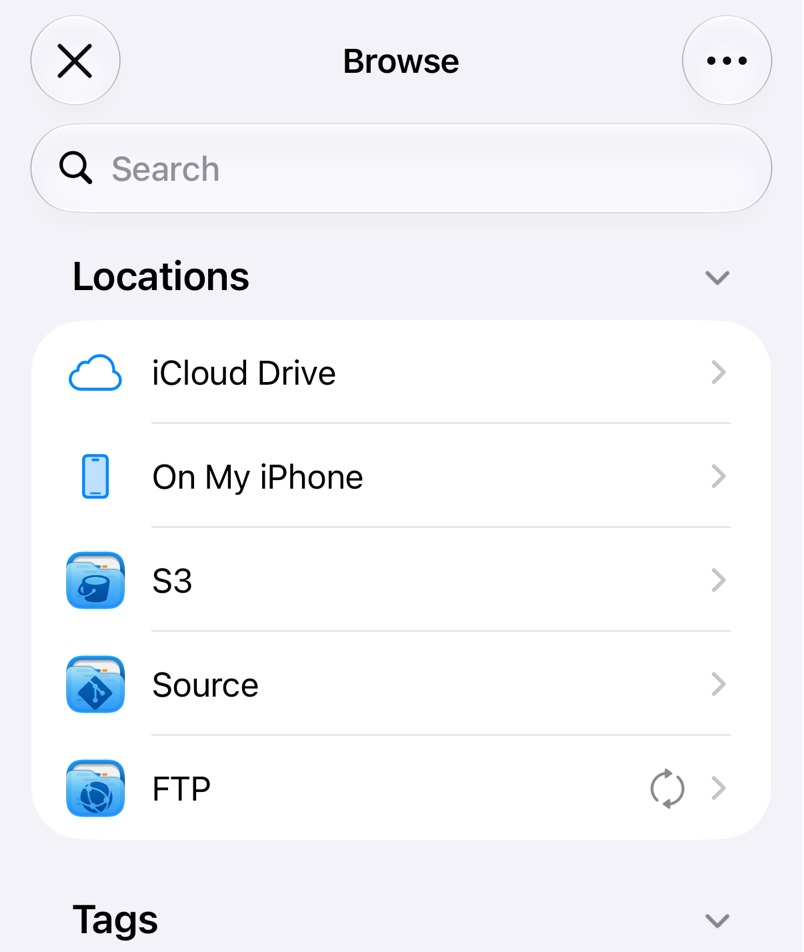
FTP Files adds an FTP location to the Files app on iPhone and iPad and to Finder on a Mac, with a folder for each server. Files download when you open them and upload when you save, so any app that edits in place can work on your servers.
If the location doesn't show up, tap on the Files app's Browse screen, tap Edit and switch on FTP. On a Mac it's under Locations in the Finder sidebar.
Actions in the context menu
Long-press an item in the Files app, or right-click it in Finder, for:
- Browse opens it in FTP Files.
- Manage shows its details and lets you change permissions; see Permissions and Symlinks.
- Share Link, or Copy Link in Finder, makes a web link from the server's Website address, once you've filled it in. Creating links is a Pro feature.
- Playback streams audio and video without downloading the file first.
Thumbnails
Read Exif Thumbnails in Settings, in the Finder tab on a Mac, shows thumbnails for photos that aren't downloaded yet.
On a Mac
Keep Downloaded in the Manage window keeps a file or folder downloaded when macOS frees up space, a Pro feature. Terminal and other tools reach the files in the folder for FTP Files inside ~/Library/CloudStorage.
Troubleshooting
- Files or folders stop updating. In Files app Diagnostics in Settings, or Diagnostics in the Finder tab on a Mac, Check Status tests the location and Reset rebuilds it, losing changes that haven't uploaded.
- There are no links in the menu. Fill in Website in the server's settings.